Download TikTok Videos with SSSTikTok
SSSTikTok is a browser-based tool designed to help you save media from public TikTok links that can be processed. You simply copy the link from TikTok, paste it into the download field, then choose an available result.
For supported videos, you can choose a version without watermark when that format is available. SSSTikTok is also designed to handle several other types of TikTok media, including audio, active Stories, photo posts, and slideshows.
There is no additional app that must be installed. You can access this tool through a browser on a phone, tablet, laptop, or computer.
How to Download TikTok Videos Without Watermark?
The process is designed to be simple, but knowing each step can help, especially if this is your first time saving a TikTok video from a browser.
Open the TikTok Video You Want to Save
Open the TikTok app or TikTok in a browser, then choose the public video you want to download.
Make sure the video is still available and can be opened normally. Videos that have been deleted, are private, or cannot be accessed usually cannot be processed by the downloader.
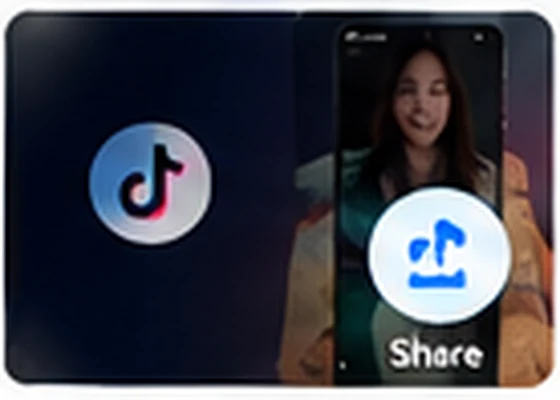
Tap the Share Button
On the video page, select the Share button.
TikTok will display several options for sharing the post. The menu may look slightly different depending on the device, operating system, or version of the TikTok app you use.
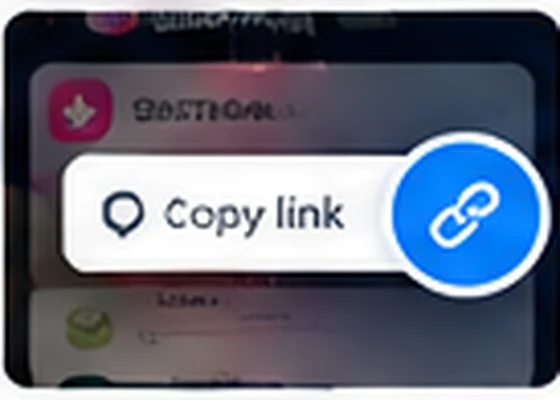
Select Copy Link
Tap Copy link.
The link will be stored temporarily on your device clipboard. A TikTok link can be a full address from tiktok.com or a short link such as vm.tiktok.com or vt.tiktok.com.
You do not need to change or shorten the link manually.
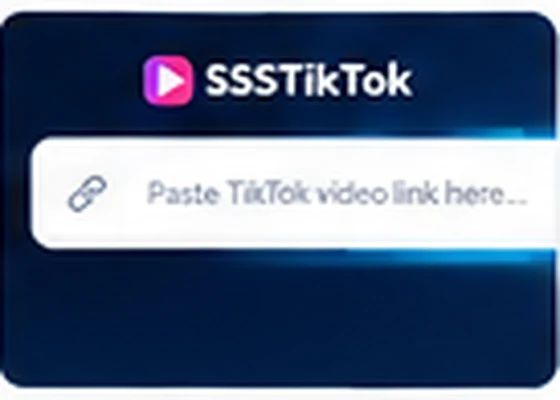
Paste the Link into SSSTikTok
Return to the SSSTikTok page, then paste the copied link into the downloader field at the top of the page.
You can press and hold the field and then choose Paste, or use the Paste button if available.
Check again that the TikTok link has been entered completely before continuing.
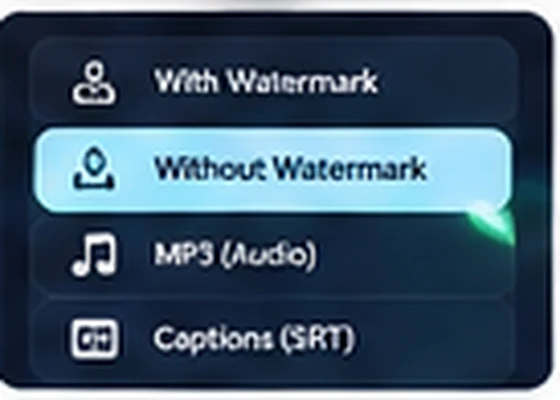
Press Download and Choose a Format
Press the Download button so SSSTikTok can check the media available from that link.
If the link is processed successfully, the results page will display options that match the post type, for example:
- MP4 video
- Video without watermark if available
- MP3 audio if available
- Photos from a photo post
- Images from a slideshow
- Or other media that can be found from that post.
Choose the format you actually need. Not every post provides the same result options.

Save the File to Your Device
Tap the download button for the format you selected.
In some browsers, the file will go directly to the Downloads folder. In other browsers, the media may open in a new tab first and you may need to use Download, Save Video, or Save to device.
When finished, open the downloads folder on your device to make sure the file has been saved.

What Can Be Downloaded with SSSTikTok?
TikTok does not contain only ordinary videos. Because different post types can have different media structures, SSSTikTok separates several download needs so users can choose the appropriate tool.
TikTok Video
Save public TikTok videos in the available video format. For supported posts, an option without watermark may be displayed on the results page.
TikTok MP3
Only need the audio?
Use TikTok MP3 to extract the audio portion from a post that can be processed. This option is useful when you do not need the video file.
The quality of the downloaded audio still depends on the source media. Converting a file to MP3 cannot add sound detail that does not exist in the original source.
TikTok Story
SSSTikTok can be used to process public TikTok Stories that are still active and accessible.
Stories that have expired, been deleted, or are not publicly available cannot be restored simply by using an old link.
TikTok Photo
For TikTok posts in photo format, use the photo downloader so you can save the available images from the post without having to take a screenshot of the screen.
TikTok Slideshow
A slideshow post can contain several images in one post.
If the post is supported, SSSTikTok can display the media it finds so you can save the required images separately.
SSSTikTok Features
We prefer to explain what is genuinely useful rather than filling the page with claims such as “fastest in the world” or “best quality” that are difficult to prove.
Here are the main functions designed to be available in SSSTikTok.
Download Without Login
You do not need to enter a TikTok username or password into SSSTikTok to use the downloader.
Simply use the public post link you want to process.
Works Directly in the Browser
You do not need to install a special app just to use the downloader.
SSSTikTok can be opened through a modern browser on a phone or computer, so the download process can be completed from the device you are currently using.
Video Without Watermark
For compatible videos, SSSTikTok can display a video option without watermark when that version is available to process.
Format availability can vary from one post to another.
MP4 Video Output
MP4 is a video format that is widely supported by phones, computers, browsers, media players, and many editing applications.
When available, the video result can be saved in a practical format for playback on various devices.
Download MP3 Audio
You do not always need to save the entire video.
For posts that can be processed, the audio option helps you save only the sound portion, so the file size is usually smaller than a complete video.
Photo Post Support
SSSTikTok is not intended only for videos.
Supported photo posts can be processed so you can save the source images without relying on screen captures.
Slideshow Support
Posts with several images require different handling from ordinary videos.
The slideshow downloader helps identify available image media in a post so you can choose the files you need.
Active TikTok Story Support
TikTok Stories that are still active, public, and accessible can be processed when their media is available.
SSSTikTok does not claim to restore Stories that have disappeared, been deleted, or expired.
Can Be Used on Phones and Computers
The downloader is designed to be used from various devices through a browser, including:
- Android
- IPhone
- IPad
- Windows
- MacOS
- Linux
- And tablets.
The location of downloaded files can vary depending on your device and browser settings.
Supports Long and Short TikTok Links
TikTok can generate more than one form of link when you use the Share menu.
SSSTikTok is designed to recognize supported TikTok links, including full TikTok URLs and various official short links that point to public posts.
You do not need to convert a short link into a full URL first.
What TikTok Formats Are Supported?
TikTok links do not always point to the same type of media.
SSSTikTok is designed to process supported content types such as:
- Public TikTok videos
- Photo posts
- Slideshows
- Audio from compatible posts
- Public TikTok Stories that are still available
- Standard TikTok links
- Valid TikTok short links.
Final support still depends on whether the post is still available and whether its media can be accessed when the link is processed.
TikTok Links That Cannot Be Processed
The downloader cannot open every piece of content that has ever been published on TikTok.
Some conditions that can cause a link to fail include:
Private Video
If a creator limits the post to certain accounts, a public downloader cannot treat that video like a public post.
Video Has Been Deleted
If the post has been deleted from TikTok, entering the old URL does not make the file available again.
Story Has Expired
Stories are temporary. Once a Story is no longer available from the source, the old link may no longer be processable.
Incomplete Link
A link that is cut off, mistyped, or is not a valid TikTok URL can produce an error.
Content Is Unavailable
A post can become unavailable because of creator settings, regional restrictions, changes to account status, or changes on TikTok.
Temporary Disruption
Technical changes on TikTok, an internet connection problem, or the media retrieval process can cause a link that normally works to fail temporarily.
How Does SSSTikTok Work?
You do not need to understand the technical process to use the downloader, but the flow is simple.
When a link is entered, the system checks whether the address is a TikTok link it can recognize. If the link is valid and the post can be accessed, the downloader tries to identify the media available from that post.
After that, the output options it finds are displayed to the user.
In general, the process is:
TikTok link → Link validation → Media detection → Display formats → Choose file → Download
SSSTikTok cannot create media that is no longer available from the source and cannot magically increase the original quality of a file.
Quality of Downloaded Videos
The quality of a downloaded result is heavily influenced by the quality of media available from the source.
If TikTok provides several versions that can be processed, the downloader can display the available choices. However, a downloader cannot turn a low-resolution video into genuine 4K video simply by changing its quality label.
For example, a video with limited source detail will still have those limitations after it is downloaded.
For that reason, we choose to display the options that are actually available rather than promise a specific resolution for every link.
MP4 or MP3: Which Should You Choose?
- Choose MP4 if you want to save the video together with its picture and sound.
- Choose MP3 if you only need the audio portion.
- MP3 is suitable for audio-only needs because it does not save the images from the video. The file size is also usually smaller than a complete video file.
- If the visual content matters to you, use MP4.
- If you only need the sound, use MP3.
Where Are Downloaded TikTok Files Saved?
The file location is determined by the browser and device you use, not by the name of the downloader website.
Android
On most Android devices, check:
Files / File Manager → Downloads
The name of the file management app may differ between Samsung, Xiaomi, Oppo, Vivo, Realme, Pixel, and other brands.
iPhone and iPad
For files downloaded through Safari, check:
Files → Browse → Downloads
Depending on the file type and the action you choose, videos or images can also be moved to the Photos app.
Windows
By default, browsers usually use the folder:
Downloads
You can also view the download list directly in Chrome, Edge, Firefox, or the browser being used.
macOS
Open:
Finder → Downloads
If you previously changed the Safari or Chrome download location, the file may be saved in another folder.
Using SSSTikTok on Android
Open TikTok and copy the post link through the Share button.
Then open SSSTikTok through Chrome or another browser, paste the link, process the post, and choose the result you need.
If the browser asks for permission to download multiple files while saving many images, read the notice first and only grant permission if it matches the action you are taking.
TikTok Download Guide for Android
Using SSSTikTok on iPhone
iPhone users can use the downloader through Safari without needing to enter a TikTok account into SSSTikTok.
After the file finishes downloading, you can usually find it in the Files app inside the Downloads folder.
If you want to move a video or image to Photos, open the file and use the sharing or save menu available in iOS.
TikTok Download Guide for iPhone
Why Can't a TikTok Video Be Downloaded?
If a link fails, do not immediately assume that your device is the problem.
Check the following items.
Make Sure the Link Is Correct
Open the TikTok link again in your browser.
If the TikTok page itself cannot be opened, the downloader will probably also be unable to retrieve its media.
Copy the Link Again
Do not copy caption text together with the URL.
Use Share → Copy link to get the link directly from TikTok.
Check the Video Status
Posts that are private, deleted, restricted, or no longer available cannot be treated like ordinary public videos.
The Story May Have Expired
TikTok Stories do not remain available forever.
If the Story can no longer be opened on TikTok, the downloader also cannot guarantee that its media can still be found.
Try Reloading the Page
An interrupted internet connection or a temporary processing failure can prevent the results page from appearing.
Reload the page and then try the same link again.
The Video Opens but Is Not Saved
Some browsers open media files in a new tab.
If this happens, use Download, Save, Save Video, or the available browser menu to save the file to your device.
Guide to Fix TikTok Download Problems
Do You Need to Install the SSSTikTok App?
Not to use the web version.
You can open SSSTikTok through a browser and use the TikTok link directly.
A browser-based approach also avoids the need to install an app just to perform one type of task.
Do You Need to Log In to a TikTok Account?
SSSTikTok does not require your TikTok password to run the public downloader function.
You only provide the URL of the post you want to process.
Do not enter your TikTok password into the URL field or share account credentials with a site that requests that information without a clear reason.
Use TikTok Content Responsibly
The ability to save a file does not mean that rights to the content are transferred to the person who downloads it.
Use SSSTikTok for your own content, content you have permission to save or use, or other use that is consistent with creator rights and applicable rules.
If a video, audio recording, photo, or other work has a copyright owner, respect that owner's rights.
SSSTikTok is not intended as a tool for claiming someone else's work as your own.
About SSSTikTok and TikTok
SSSTikTok.co.id is an independent service.
SSSTikTok.co.id is not owned, sponsored, endorsed, or affiliated with TikTok or ByteDance. Third-party names and trademarks remain the property of their respective owners.
TikTok is mentioned on this page to explain service compatibility and functionality.
How Do We Evaluate the Downloader?
A downloader should be evaluated according to the task a user can actually complete, not according to marketing slogans.
During service testing, some important conditions to check include:
- Standard TikTok video links
- TikTok short links
- Video posts
- Photo posts
- Slideshows
- Active public Stories
- Audio output
- Android
- IPhone
- Desktop browsers
- Incorrect links
- Private posts
- Deleted posts.
If TikTok changes its link structure or the way media is presented, certain functions may require adjustment.
Frequently Asked Questions
Is SSSTikTok free?
The SSSTikTok web version can be used to process TikTok links without requiring users to create an SSSTikTok account. If the service model changes in the future, pricing information must be displayed clearly before users use a paid feature.
Can I download TikTok videos without watermark?
For supported videos, SSSTikTok can display an option without watermark if that format is available to process. The choices that appear can vary between posts.
Do I have to log in to TikTok?
No. To use the public downloader, you do not need to enter a TikTok username or password into SSSTikTok. What is required is the URL of a post that can be processed.
Can SSSTikTok download private TikTok videos?
It should not. Content deliberately restricted by its creator is not treated as public content. Use the downloader for public media that can actually be accessed.
Can I download TikTok in HD quality?
If a higher-quality version is available from the source and can be processed, that option may be displayed. SSSTikTok cannot create original detail that is not present in the source media.
Can I convert a TikTok video to MP3?
For compatible posts, you can choose an audio output so you do not have to save the entire video. The audio result still depends on the quality of the source.
Can SSSTikTok download TikTok Stories?
Public Stories that are still active and accessible can be processed when their media is available. Stories that have expired or been deleted cannot be guaranteed to remain available.
Can I download TikTok photos?
Yes, for supported photo posts, image media can be displayed as download options. This lets you save the image without having to take a screenshot of the screen.
Can I download TikTok slideshows?
Supported slideshow posts can be processed to find the available images. The result displayed depends on the structure of the post.
Why is my TikTok link not working?
Common reasons include an incomplete link, a private video, a deleted post, an expired Story, unavailable media, or a temporary disruption. Try opening the link directly in TikTok first to make sure the post can still be accessed.
Can SSSTikTok be used on iPhone?
Yes, the web version is designed to be used through an iPhone browser. Downloaded files can usually be found through the Files app, depending on Safari settings and the saving action you choose.
Can SSSTikTok be used on Android?
Yes. You can copy the link from TikTok, open SSSTikTok through an Android browser, then choose an available format. Files are generally saved in the Downloads folder.
Where are downloaded videos saved?
The location depends on the device and browser. Android, Windows, and macOS usually use the Downloads folder. On iPhone or iPad, check the Files app and the Downloads folder.
Is SSSTikTok officially connected to TikTok?
No. SSSTikTok.co.id is an independent service and is not affiliated with TikTok or ByteDance.
Download TikTok According to Your Needs
Not everyone needs the same download result.
If you want to save a video, use the video downloader. If you only need the sound, choose MP3. For photo or slideshow posts, use the tool designed for that type of media. Stories also have different limitations because the content can expire.
By separating functions according to media type, SSSTikTok aims to make the download process clearer and reduce unnecessary steps.
No login required • Browser based • Choose an available format